Desk Ergonomics Is Mostly About Screen Height
For most desks the default monitor position is slightly too low. Laptops are especially guilty of this, but standard monitors often sit lower than ideal as well. Raising the screen closer to eye level immediately reduces neck strain and changes the posture of the entire workspace. The improvement is mechanical rather than conceptual. Once the screen moves into the correct position the body stops compensating.
There are several ways to accomplish this. Some solutions are simple and permanent. Others are adjustable and flexible. A few attempt to redesign the entire monitor mounting system. Each approach reduces friction in a slightly different way depending on how the desk is used.
The following solutions all address the same underlying issue but solve it with different levels of flexibility and permanence.
Work
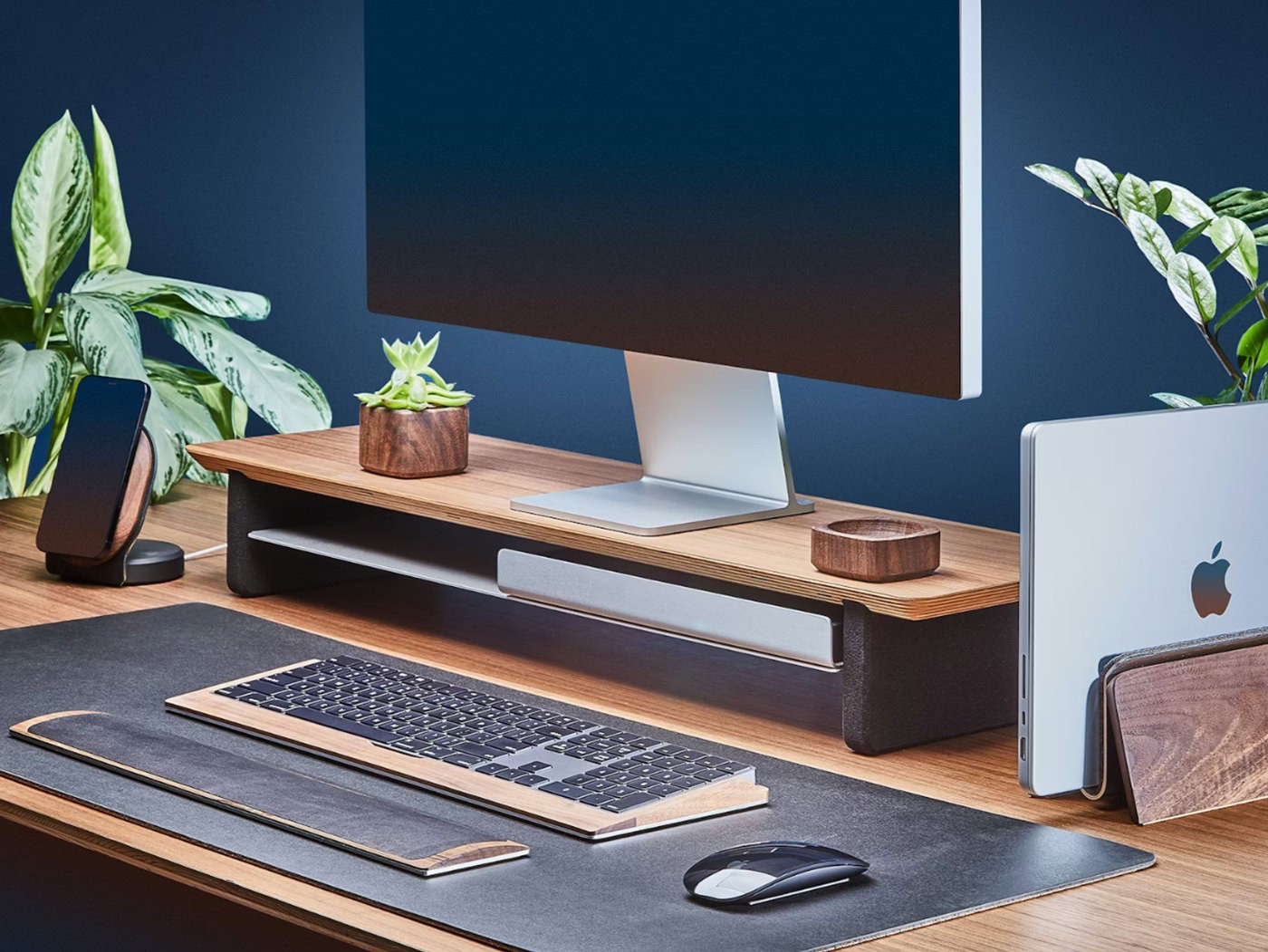
Wood Monitor Riser Shelf
A monitor shelf is the simplest way to raise a screen. It lifts the monitor several inches while creating usable storage space beneath it for keyboards, notebooks, or small desk tools. The improvement is immediate and stable because nothing moves once it is placed.
Work
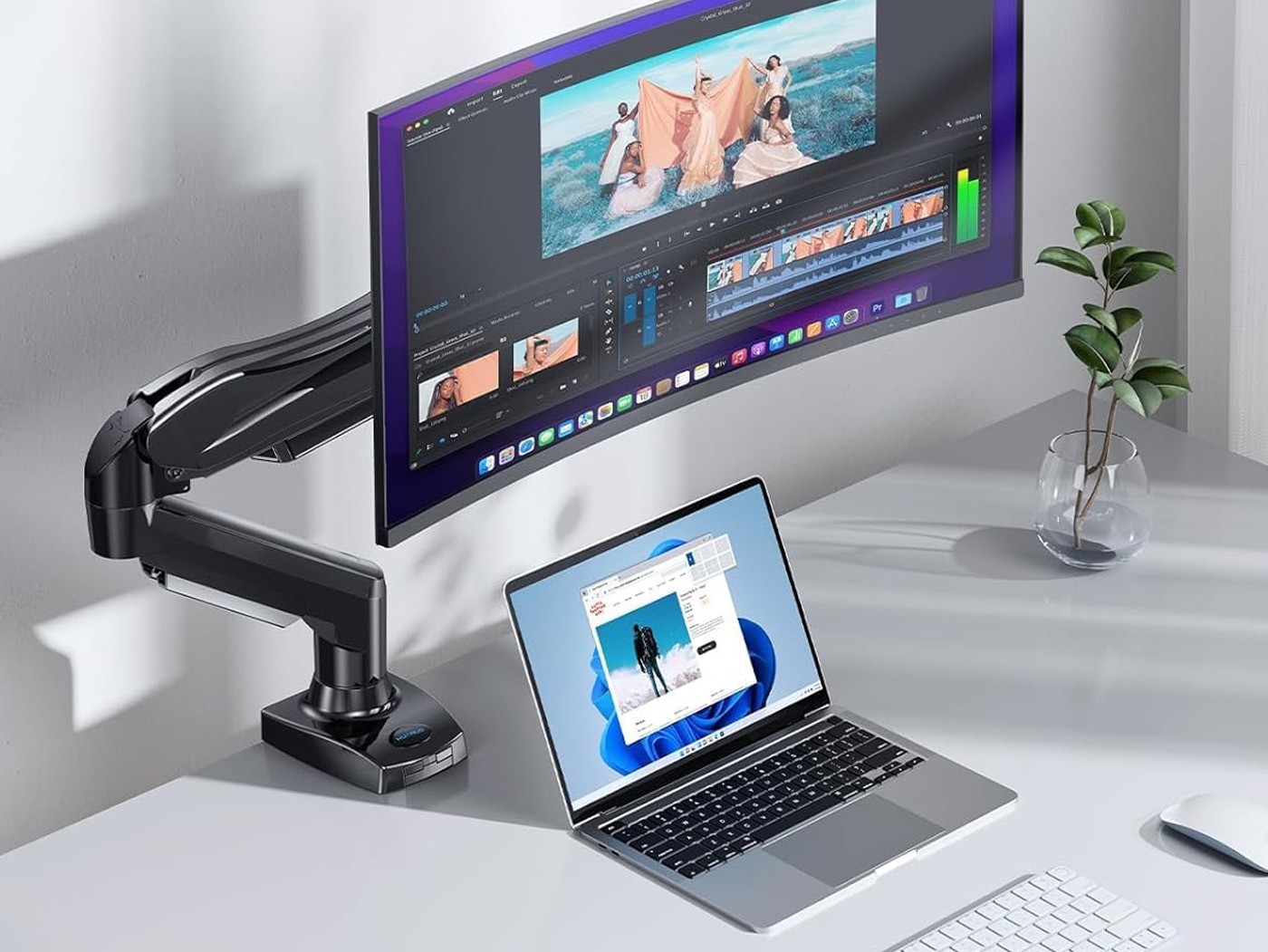
Adjustable Monitor Arm
A monitor arm replaces the fixed position of a monitor stand with full range movement. The screen can move up, down, forward, backward, and rotate depending on the needs of the moment. This flexibility makes it possible to fine tune screen position for posture, lighting, or collaborative work.
Work
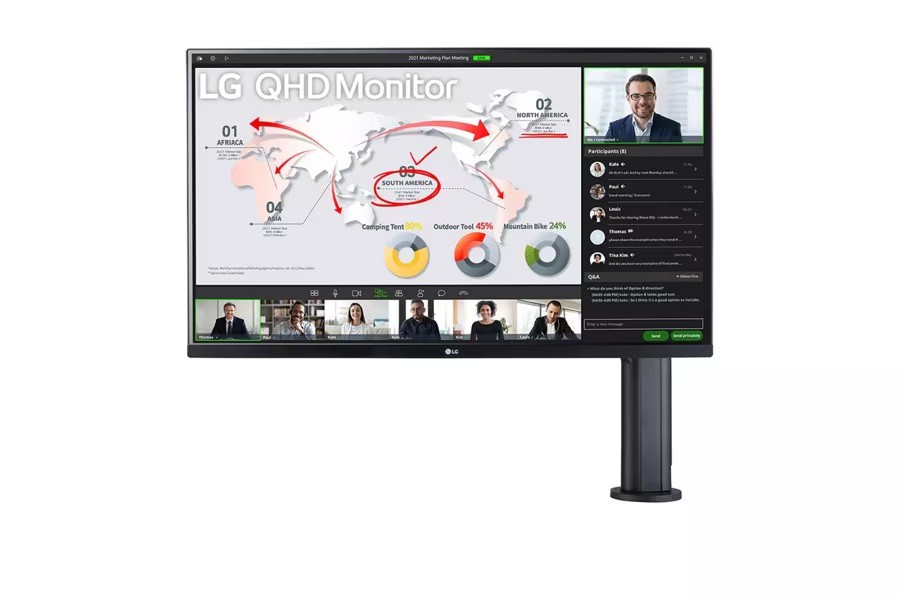
LG 32” Ergo QHD Monitor
Some monitors integrate the ergonomic solution directly into the display itself. The LG 32” Ergo monitor replaces the traditional stand with a built-in articulated arm that clamps to the desk. This creates a wide range of motion while maintaining a clean and minimal footprint.
Choosing Based on How Your Desk Works
Ergonomic Positioning
All three solutions raise the monitor to a healthier viewing height, but they do so with different levels of precision. A shelf provides a fixed improvement. A monitor arm allows continuous adjustment. The LG Ergo monitor combines both by offering flexible positioning within a single integrated system.
Desk Stability and Space
Monitor shelves occupy desk space but also create usable storage underneath. Monitor arms free desk surface area entirely because they clamp to the back of the desk. The LG Ergo monitor achieves a similar effect by removing the traditional monitor stand.
Flexibility and Adjustability
Flexibility matters most in dynamic workspaces. Designers, programmers, and anyone who moves between sitting and standing positions may benefit from an adjustable arm. Simpler work setups often prefer the stability of a fixed riser shelf.
Cost Versus Permanence
Monitor shelves are typically the most affordable and permanent solution. They require no installation and rarely need adjustment once placed. Monitor arms introduce higher cost but provide flexibility in return. Integrated ergonomic monitors like the LG 32” Ergo combine the display and mounting system, which makes them the most comprehensive but also the most expensive option.
Setup Friction
A shelf is the fastest solution to install because it simply sits on the desk. Monitor arms require mounting and adjustment but provide ongoing flexibility once installed. The LG Ergo monitor simplifies this slightly by integrating the arm directly into the display, reducing the need for separate components.
What Actually Reduces Friction
The correct solution depends less on the product and more on how the desk behaves day to day. Stable desks with consistent layouts often benefit from simple monitor shelves. Adjustable desks and collaborative workspaces benefit from monitor arms. Integrated ergonomic monitors appeal to people who want a clean system where the display and positioning are designed together.
All three approaches share the same goal. They move the screen into a position where the body can remain upright and relaxed. Once that alignment exists the desk becomes easier to work at for long periods without constant adjustment.